
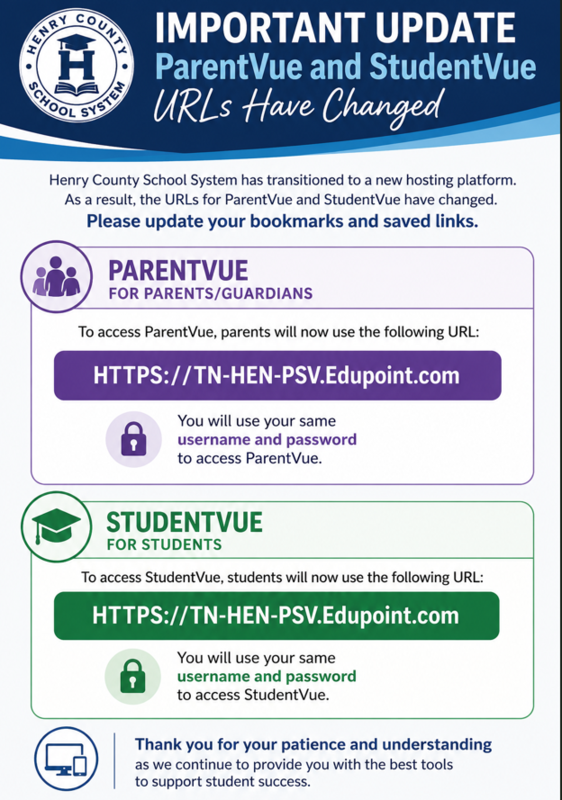
ParentVUE & StudentVUE Mobile App Update Instructions
As part of Henry County School System's transition to a new Edupoint hosting platform, the ParentVUE and StudentVUE mobile apps must be updated to connect to the new server.
Your username and password have NOT changed. You will continue using your current login credentials.
Follow these steps to update your app:
Step 1: Delete the Existing App
Locate the
ParentVUE
or
StudentVUE
app on your mobile device.
Press and hold the app icon.
Select
Remove App
or
Uninstall
.
Confirm that you want to delete the app.
Step 2: Reinstall the App
Open the
Apple App Store
(iPhone/iPad) or
Google Play Store
(Android).
Search for
ParentVUE
or
StudentVUE
.
Download and install the official Edupoint app. (you can choose the existing app or new app)
Step 3: Connect to Henry County School System
Open the newly installed app.
When prompted for the district server or URL, enter:
https://tn-hen-psv.edupoint.com
Tap
Continue
or
Next
.
Step 4: Sign In
Enter your existing
username
and
password
.
Tap
Login
.
That's it! Your app is now connected to Henry County School System's new server.
Need Help?
If you experience any issues logging in after completing these steps, please email David Kibbler at kibblerd@henryk12.net.
Thank you for your patience as we complete this important system upgrade.